
Most people spend 2–3 hours daily on YouTube and Netflix — and waste every minute of it for language learning. AI language learning extensions flip that equation, transforming passive screen time into vocabulary gains, pronunciation drills, and grammar practice directly inside your browser. No separate app. No extra study block. Just content you already love — now doing double duty.
This guide covers the 7 best extensions in 2026, ranked by AI depth, platform breadth, and real learner outcomes. Whether you're targeting IELTS, watching K-dramas, or reading foreign research papers, you'll find the right match here.
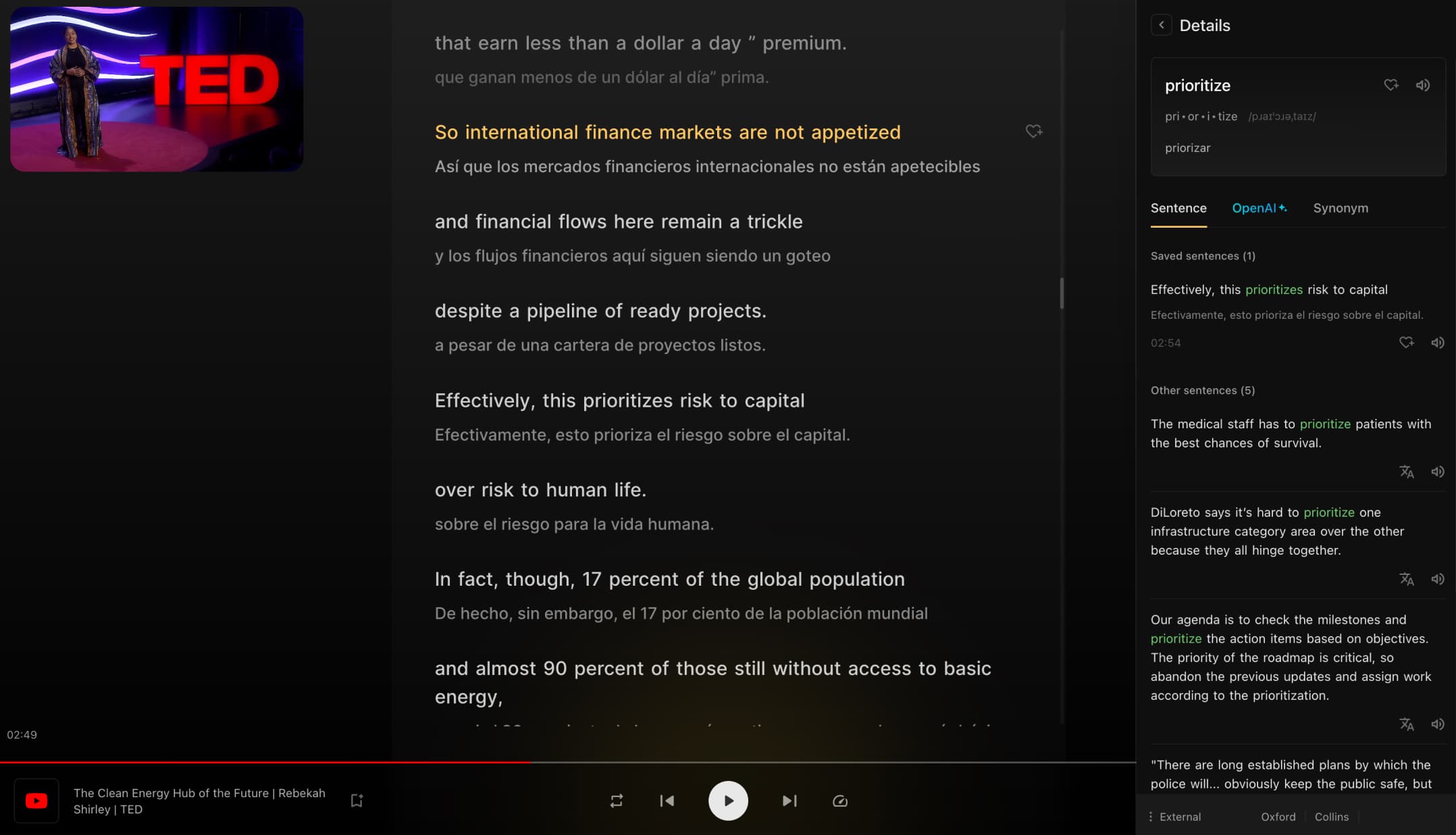
Trancy is the best all-in-one AI language learning extension in 2026. It adds bilingual subtitles to Netflix, YouTube, Disney+, Udemy, Coursera, TED, edX, and Amazon Prime Video — while delivering AI pronunciation scoring, grammar analysis, vocabulary flashcards, and full web and PDF translation, free to start at trancy.org.
What Separates Great Extensions From Gimmicks
The best extensions share four traits that basic subtitle tools cannot match.
- Context-aware AI — definitions tied to the actual video scene or article, not a generic dictionary entry
- Active practice modes — speaking, dictation, and fill-in-the-blank, not just passive subtitle display
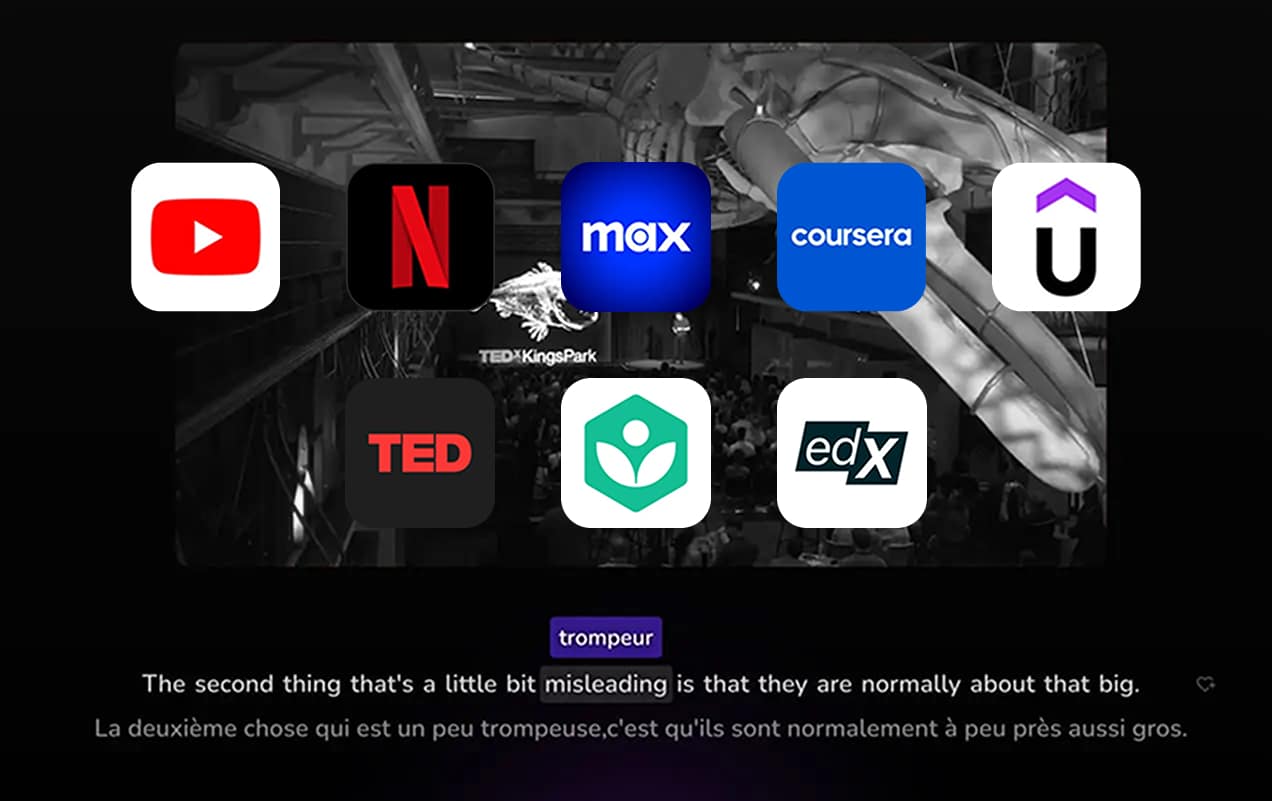
- Cross-platform reach — works on Netflix, YouTube, and educational platforms like Udemy or Coursera
- Built-in retention — saves vocabulary with spaced repetition so words stick a week later
Most extensions master one of these. A few manage two or three. Only the best cover all four — and that gap determines whether a tool becomes a daily habit or collects dust in your toolbar.
Why 2026 Changed the Landscape
LLM-powered grammar analysis and AI pronunciation scoring — once reserved for standalone apps costing $30+/month — now ship directly inside browser extensions. Real-time AI feedback is no longer a premium differentiator; it is a baseline expectation. Extensions that still rely on static machine translation are falling behind fast. The tools that win in 2026 are the ones built around active learning loops, not passive translation overlays.
The practical result for learners: you no longer need a separate tutoring app, a standalone flashcard tool, and a subtitle extension. The best single-install tools now cover all of it simultaneously — making 2026 the most efficient year yet to start immersion-based learning.
The Top 4 AI-First Extensions for Video Learning
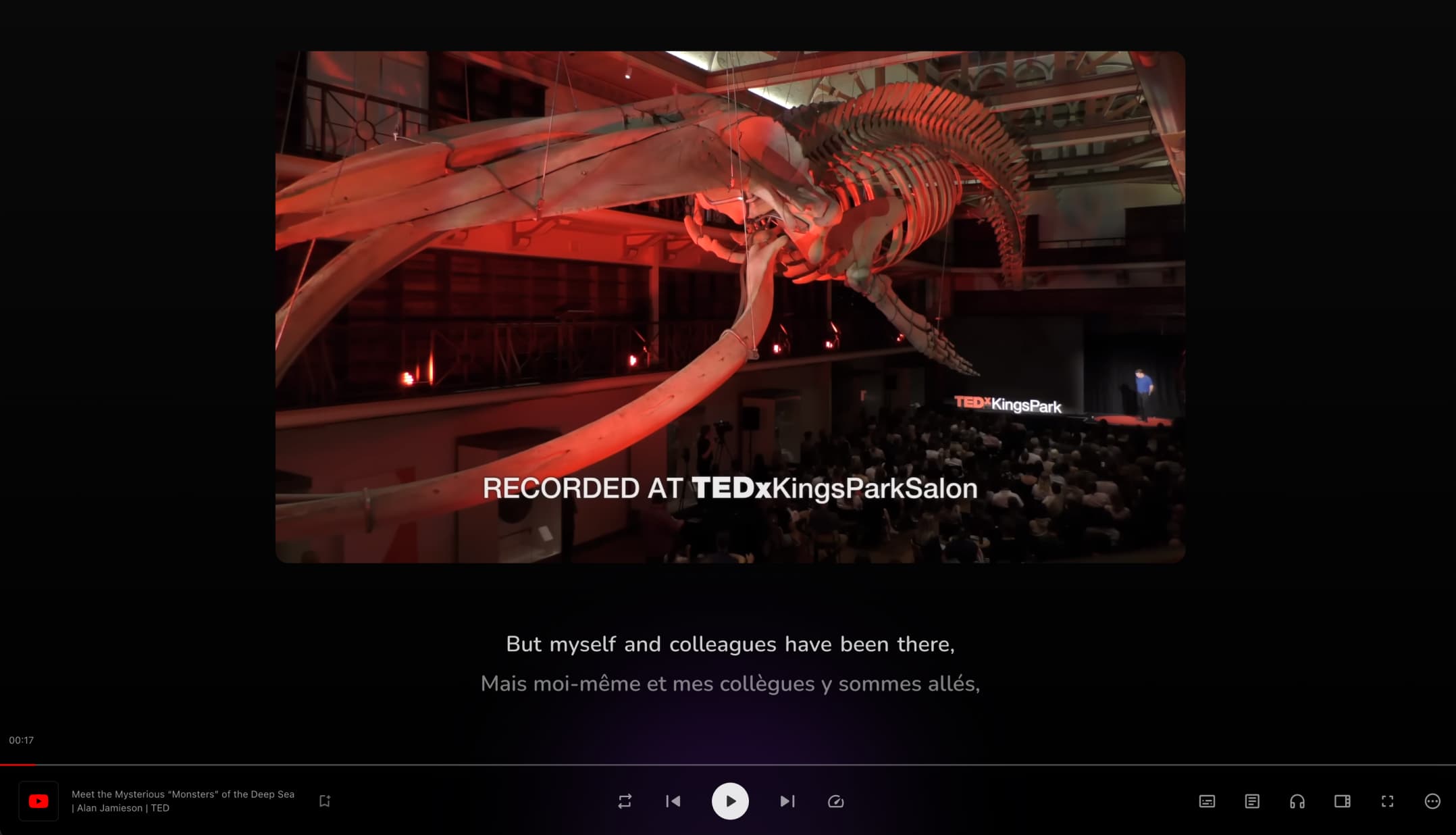
Trancy is the standout option for anyone who consumes content on streaming or educational platforms. Install it once and unlock dual bilingual subtitles on YouTube, Netflix, Disney+, Udemy, Coursera, TED, edX, and Amazon Prime Video. Its AITalk speaking coach enables realistic roleplay conversations — ordering food, navigating a job interview — with AI pronunciation scoring on every attempt. Five interactive practice modes (speaking, listening, dictation, fill-in-the-blank, multiple-choice) activate every skill simultaneously. One-click vocabulary saving preserves words with AI-generated context sentences and images, and the built-in flashcard deck syncs directly to Anki. Bilingual subtitles run approximately 80% more accurate than YouTube's default machine subtitles. The free plan covers 40 AI-transcribed videos per day; Premium starts at ~$3.49/month with a 7-day free trial.
Language Reactor remains the top choice for hardcore polyglots — 2–3 million users rely on its Anki export workflow, frequency-based vocabulary color-coding, and sentence-by-sentence navigation. It's fast and stable. The trade-off: desktop-only, no AI speaking coach, and no support beyond Netflix and YouTube.
eJoy Learning layers bilingual subtitles with gamified spaced repetition, turning incidental vocabulary exposure into interactive mini-game reviews. It suits learners who need game-like reinforcement to stay consistent, though AI depth is limited compared to Trancy.
Migaku is purpose-built for Japanese and Korean immersion learners — pitch accent tools, frequency dictionaries, and deep Anki integration make it the strongest SRS-first option for advanced learners. Setup is steep for beginners.
Three Specialized Extensions for Specific Goals
Not every learner needs video subtitles. These tools dominate their own niches.
Immersive Translate leads pure web translation with 8M+ users and paragraph-by-paragraph bilingual display on any webpage. Setup is instant, and language pair coverage is nearly universal. The limitation is absolute: no video subtitles, no speaking practice, no vocabulary system. It is a translation utility built for passive document consumption — ideal for professionals reading foreign-language websites or research papers but not for learners who want skill development.
FluentAI targets listening comprehension with custom playback modes: Pause Mode auto-stops after unknown words, Voice-Repeat Mode prompts shadowing with AI pronunciation guidance, and Resume Mode keeps playback flowing while flagging unfamiliar vocabulary. For learners whose primary gap is processing native-speed speech, FluentAI's structured approach delivers systematic improvement where general subtitle tools fall short.
Readlang covers reading-based learning across 100+ languages. Click any word on any webpage to translate it, and Readlang automatically builds smart flashcards from every lookup — turning ebooks, news articles, and research papers into vocabulary-building sessions. There is no video support, so it pairs naturally with Trancy rather than replacing it.
Extension-to-Goal Quick Match
| Your Primary Activity | Best Extension |
| Netflix + YouTube + studying | Trancy |
| Anki-heavy video learning | Language Reactor |
| Game-like vocabulary reviews | eJoy Learning |
| Foreign web reading for work | Immersive Translate |
| Japanese/Korean SRS immersion | Migaku |
| Listening fluency at native speed | FluentAI |
| Reading articles and ebooks | Readlang |
Why Trancy's AI Depth Is Unmatched in 2026
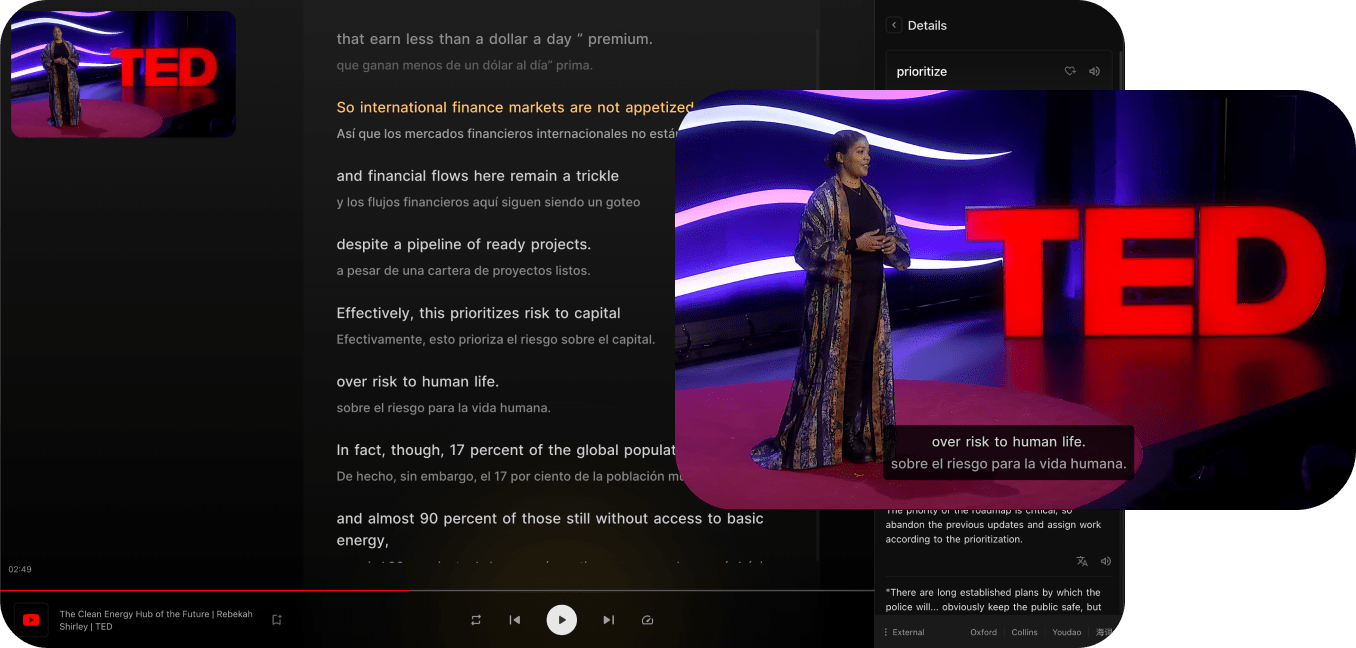
Trancy is the only extension that simultaneously covers AI-powered video subtitles, an active speaking coach, vocabulary retention, web translation, and PDF translation in a single install. Most competing tools require two or three separate extensions to approach the same feature depth — and cross-platform vocabulary tracking still doesn't transfer between them.
The free tier delivers real value at $0: 40 AI-transcribed videos per day, full AI pronunciation scoring, and 2,000 PDF pages per month. Premium adds 4,000 PDF pages, priority processing, and access to GPT-5-mini via the Advanced AI plan starting at ~$5.99/month. For IELTS and TOEFL candidates specifically, authentic listening content plus AI-scored speaking practice maps directly to both exams' skill requirements — something no other single extension replicates. Trancy's Chrome Web Store rating sits at 4.7/5 stars across 2,500+ reviews, reflecting a product learners actually stick with.
Trancy vs. the Top Competitors
| Feature | Trancy | Language Reactor | eJoy Learning | Immersive Translate |
| Bilingual video subtitles | ✅ AI-enhanced (~80% accuracy gain) | ✅ Machine only | ✅ Yes | ❌ No |
| AI speaking coach | ✅ Pronunciation scoring + roleplay | ❌ None | ❌ None | ❌ None |
| Platform support | YouTube, Netflix, Disney+, Udemy, Coursera, TED, edX, Amazon Prime | Netflix + YouTube only | YouTube + Netflix | Webpages only |
| Web translation | ✅ Full immersive | ❌ Limited | ❌ Limited | ✅ Core strength |
| PDF translation | ✅ 2K–4K pages/mo | ❌ No | ❌ No | ✅ Yes |
| Vocabulary + flashcards | ✅ AI-generated context | ✅ Anki export (stronger) | ✅ Gamified SRS | ❌ None |
| Mobile app | ✅ iOS + Android | ❌ Desktop only | ❌ Desktop only | ❌ Desktop only |
| Starting price | Free / ~$3.49/mo | Free / ~$4.99/mo | Free / ~$3/mo | Free / ~$4.99/mo |
FAQ: AI Language Learning Extensions in 2026
What is the best AI language learning extension in 2026?
Trancy is the best all-in-one option in 2026. It combines bilingual subtitles for Netflix, YouTube, and 7+ platforms with an AI speaking coach, vocabulary flashcards, grammar analysis, and web and PDF translation — covering every core language skill in a single browser extension.
Does Trancy work on Netflix and YouTube?
Yes — Trancy delivers full bilingual subtitle support and interactive practice modes on both Netflix and YouTube. It also works on Disney+, Udemy, Coursera, TED, edX, Amazon Prime Video, and Khan Academy, giving it broader platform coverage than any competing extension.
What is the difference between Trancy and Language Reactor?
Trancy offers deeper AI integration — ChatGPT-powered grammar analysis, AI pronunciation scoring, and mobile apps for iOS and Android. Language Reactor is faster and has a stronger Anki export workflow but lacks a speaking coach, mobile support, and platforms beyond Netflix and YouTube.
Can you learn a language with just a browser extension?
Yes — especially with a comprehensive tool like Trancy. Bilingual subtitles, daily vocabulary saving, AI speaking practice, and web translation together cover listening, reading, speaking, and vocabulary — the four pillars of conversational fluency — without requiring a separate course or app.
Are AI language learning extensions free to use?
Most offer genuine free plans. Trancy's free tier includes 40 AI-transcribed videos per day, a full AI speaking coach, and 2,000 PDF pages per month. Language Reactor and eJoy also have free tiers with restrictions. Most premium plans start under $5/month.
Conclusion
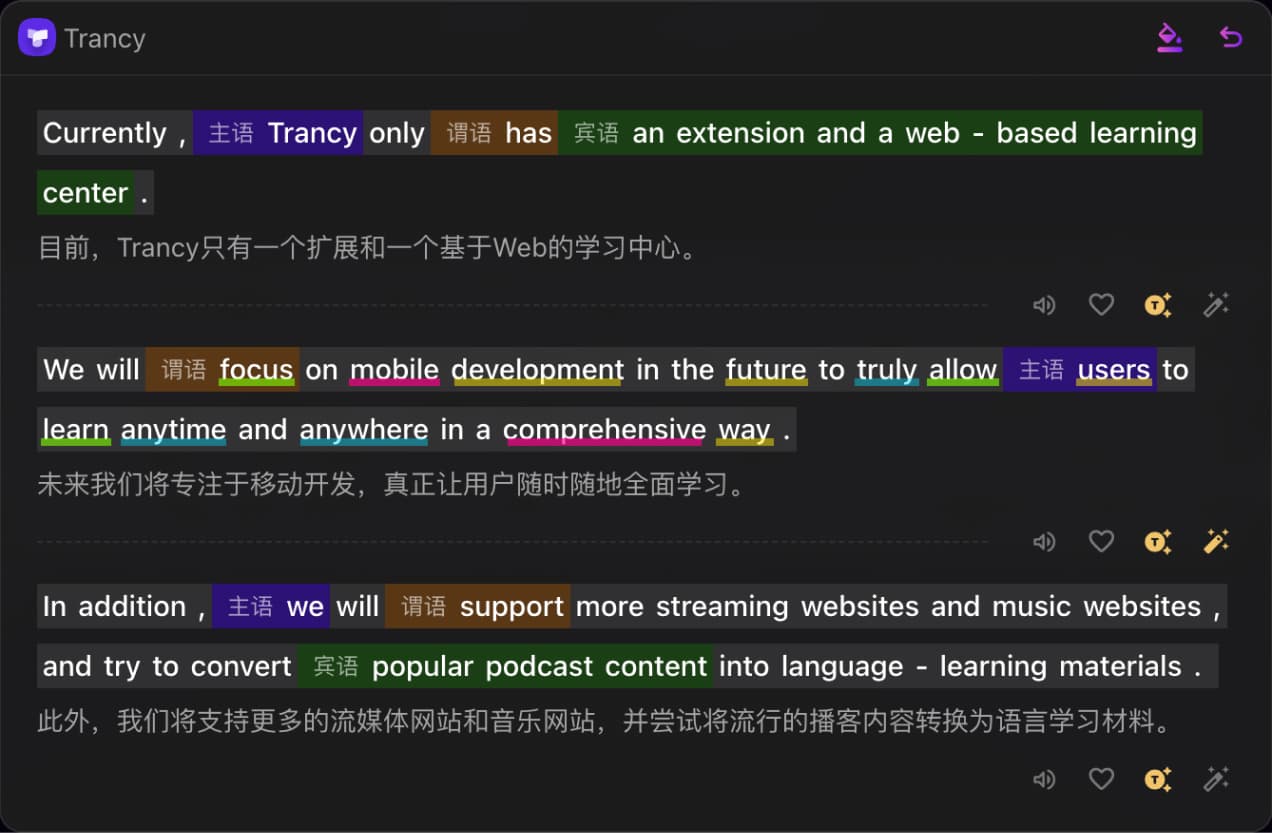
The right AI language learning extension turns screen time you already spend into structured, measurable progress — no schedule change required. Trancy delivers the deepest feature set in 2026, from AI bilingual subtitles and pronunciation scoring to vocabulary flashcards and PDF translation; try it free at trancy.org. As AI models grow faster and more context-aware, browser-based immersion learning will become the most efficient — and most accessible — path to fluency for the next generation of language learners.