สินค้า
คำบรรยาย AI
AITalk
โปรแกรมแปล PDF AI
New
Grabcube
New
ดาวน์โหลด
New
ส่วนขยาย
แอพมือถือ
New
Grabcube
New
บันทึกการเปลี่ยนแปลง
เข้าสู่ระบบ
ไทย
English
中文简体
中文繁体
中文香港
日本語
한국어
العربية
Türkçe
Русский
Tiếng Việt
ไทย
Deutsch
Español
Français
Português
हिन्दी
Italiano
Bahasa Indonesia
فارسی
Setting Trancy Extension Shortcuts
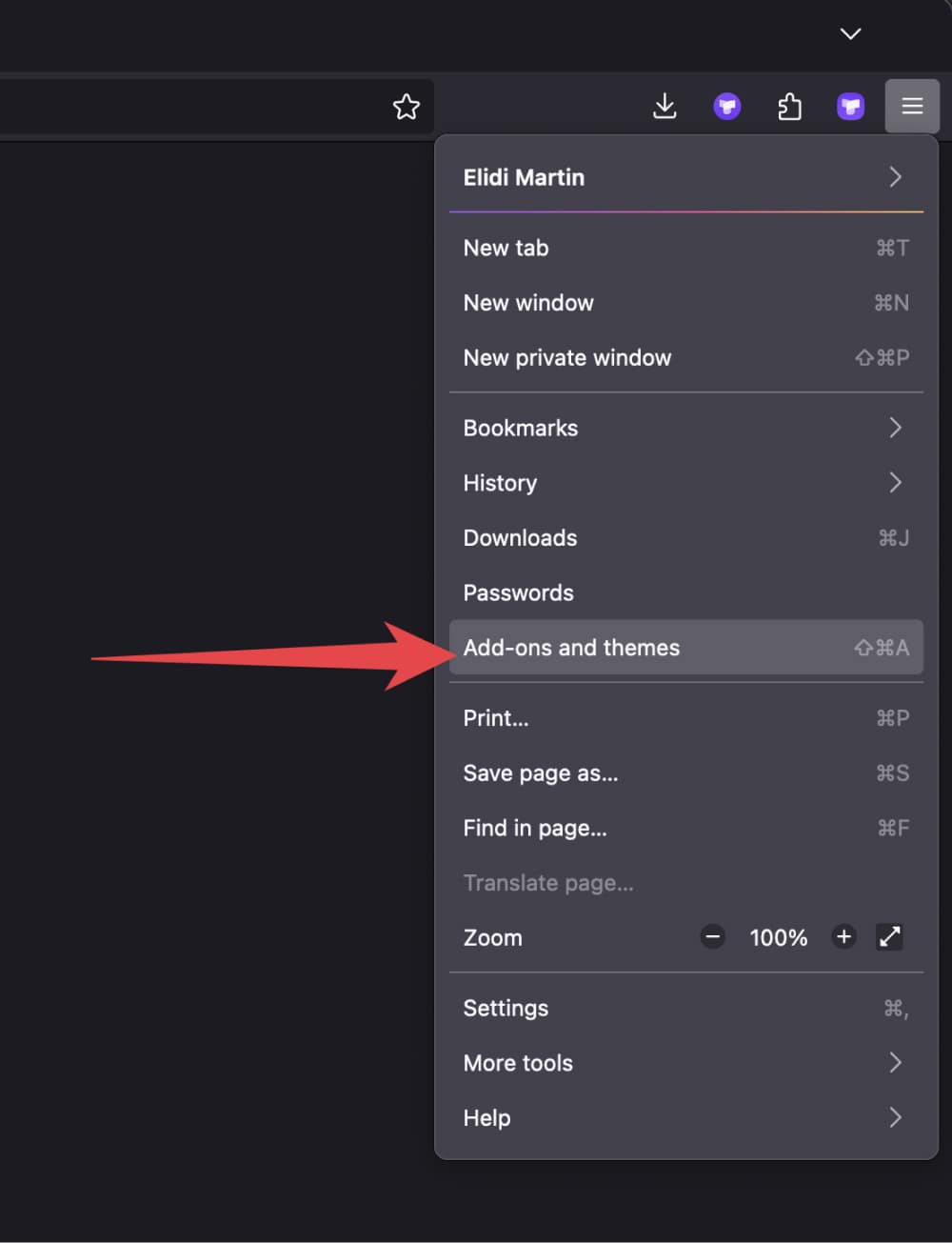
Step 1. Click the menu button, click Add-ons and themes and select Extensions.
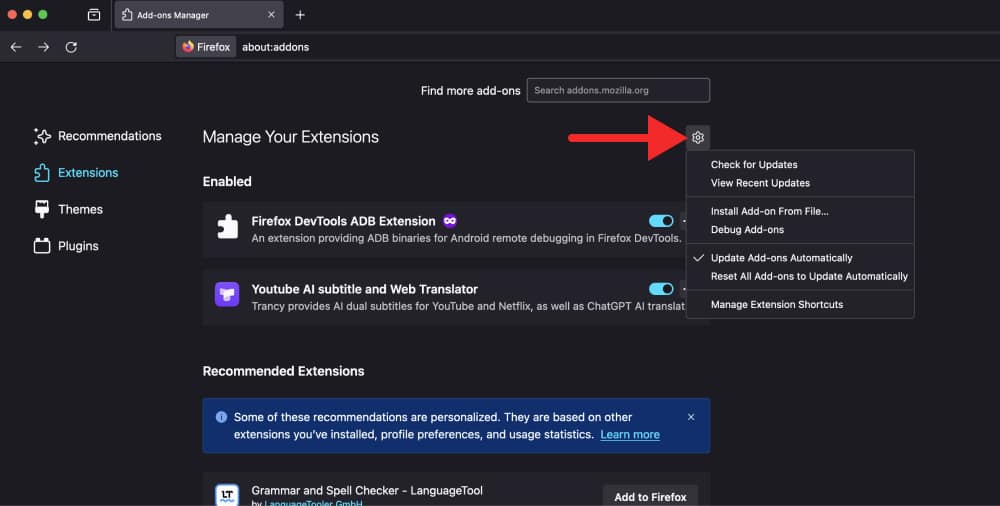
Step 2. Click the Tools for all add-ons cogwheel, Click Manage Extension Shortcuts in the menu.
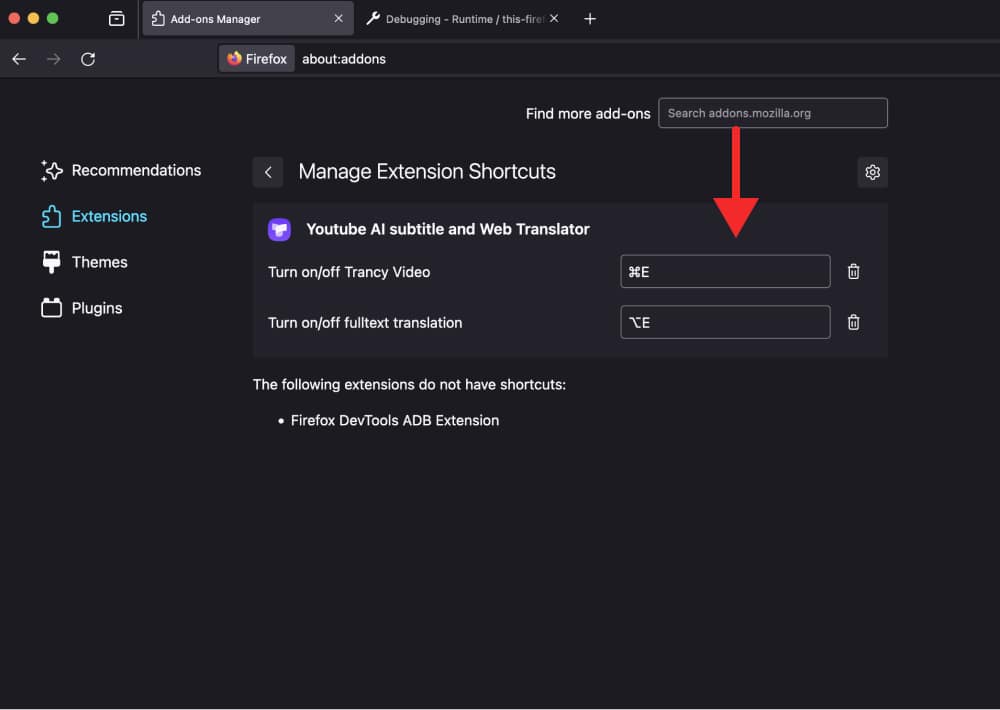
Step 3. You will see the shortcut options (if available) for your installed add-ons.
มีคำถามใดๆ? เราดีใจที่ได้ยินคุณ
ติดต่อเรา